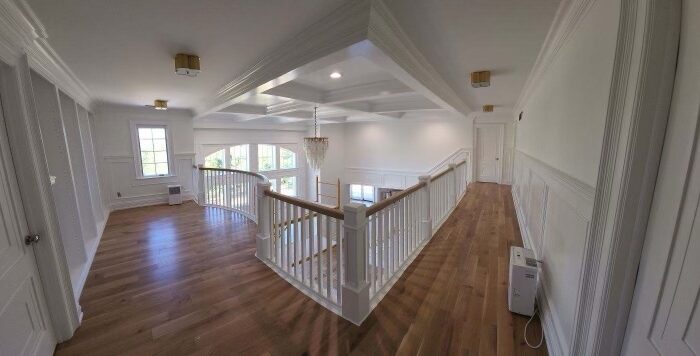
A productive home office isn’t just a desk—it’s a fitted workspace that supports your body, your technology, and your day. In Ankeny homes, the best office built-ins start with ergonomic sizing, storage that matches what you actually use, and layered lighting that keeps you focused without glare. This guide covers planning, design options, install basics, care, and what to expect with a coordinated build.
Custom Pieces → | Trim Carpentry →
Key Takeaways
- Start with your workflow: seated/standing time, number of screens, and what needs to live within arm’s reach.
- Size desk height, monitor position, and chair clearances for comfort all day—then plan storage around those dimensions.
- Use a mix of concealed storage (paper, devices) and open shelving (books, display) to keep surfaces clear.
- Layer task, ambient, and accent lighting; add glare control on screens and video-friendly front light for calls.
- Coordinate outlets, data, and wire management inside the cabinetry so the room stays tidy.
Plan Your Office (Before You Pick Door Styles)
- Workflow & zones: Primary desk, reference shelf, printer/scanner niche, charging drawer, and a small meeting spot if needed.
- Wall measurements: Note windows, returns, baseboard heat/vents, and outlets—built-ins should frame around these.
- Acoustics & privacy: Add soft finishes (area rug, drapery) and insulating walls/doors if calls are frequent.
- Future-proofing: Allow space and power for an additional monitor, a docking station upgrade, or a later sit/stand base.
- Background for video: Consider a balanced shelf grid or paneling so your camera backdrop looks intentional.
What to Expect → | Our Process →
Ergonomics First: Desk, Chair, and Screens
- Desk height: Target ~29–30″ for most seated setups; pair with an adjustable chair. For sit/stand, plan a lift base and cable slack.
- Knee & chair clearances: Keep ~24″ knee space depth and ~30″ width minimum at the main seating position.
- Monitor position: Top of screen near eye level; ~20–30″ viewing distance; use an arm for dual monitors and a clearer desk.
- Keyboard/mouse: Centered on the body; consider a pull-out tray to maintain elbow angles near 90°.
- Task surfaces: Add a secondary landing zone for sorting mail, samples, or reference binders so the keyboard area stays free.
Storage That Works (And Stays Tidy)
- Base drawers > doors: Deep file drawers (letter/legal), shallow utility drawers for peripherals, charging drawers with built-in outlets.
- Printer/scanner bay: Ventilated cabinet with pull-out shelf and cable pass-through.
- Open shelving: Adjustable shelves for books and decor; integrate a ladder or step-stool cubby if shelves go high.
- Paper management: Vertical tray dividers and labeled bins keep piles off the desk.
- Safe stash: A locking drawer for documents/devices; consider a small safe cubby behind a door.
Lighting Layers: Focus Without Glare
- Task lighting: Under-shelf or under-cabinet lights aimed at the work plane (not the screen).
- Ambient lighting: Recessed or surface fixtures sized to ceiling height to avoid shadows; warm, comfortable color temperature.
- Accent lighting: Shelf lighting for display, wall washers for paneling, or a small sconce to soften corners.
- Video calls: Add a dimmable front light (not overhead only) to avoid eye shadows; consider backlighting shelves for depth.
- Controls: Put task/ambient/accent on separate dimmers; create scenes like “Focus,” “Meeting,” and “Evening.”
Materials & Style Choices
- Paint-grade: Poplar/maple with enamel for wipeability and a crisp, modern look.
- Stain-grade: Oak/ash/walnut for warmth; consider a desktop in wood with painted cabinetry for contrast.
- Doors & fronts: Shaker for timeless, slab for modern; glass doors with interior lighting for display zones.
- Hardware: Soft-close slides/hinges; discreet edge pulls or classic knobs to match the rest of the home.
Install Basics: What “Crafted” Looks Like
- Layout & blocking: Stud finding and added blocking for monitor arms and shelving; level/plane for tight seams.
- Wire management: Routed channels, grommets, and hidden power strips; dedicated circuits for equipment where needed.
- Ventilation: Slot or grille panels for electronics bays so heat doesn’t build up.
- Integration with trim: Tie built-ins into casings, base, and crown so the office reads as architecture, not furniture.
- Protection & cleanup: Floors covered, dust control in place, daily cleanup standard.
Our Process → | Trim Carpentry → | FAQ →
Care & Timeline
- Everyday care: Damp microfiber on enamel finishes; wood-safe cleaners for stained tops.
- Touch-ups: Keep labeled paint/stain for nicks; adjust hinges/slides annually.
- Typical durations: A single-wall office install is often 2–4 days plus finishing; a full room with paneling, lighting, and glass doors runs longer. Early selections keep the schedule tight.
What to Expect with Reese Builders
- One cohesive plan: Desk heights, monitor arms, storage, and lighting coordinated from day one.
- Visible craftsmanship: Tight scribes, clean reveals, durable finishes.
- In-house capability: Built-ins, paneling, and trim that match adjacent spaces.
- Clear communication: Milestones, sequencing, and site protection outlined up front.
Custom Pieces → | What to Expect → | Ankeny Service Area →
Helpful Links from Our Blog
- What to Know Before Starting a Home Renovation Project →
- Home Remodeling Timelines in Des Moines →
- Why Reese Builders Is Central Iowa’s Choice for Luxury Home Remodeling →
Ready to make working from home actually work?
Tell us how you work—screens, storage, and meeting needs—and we’ll design a fitted office that keeps you comfortable and focused.
FAQs
Q: Sit/stand desk or fixed?
A: If you alternate often, a sit/stand base with a built-in cable trough keeps wires tidy. We match the surround cabinetry to both heights.
Q: Where do the printer and router go?
A: In a ventilated cabinet with a pull-out shelf, cable pass-throughs, and an access panel so you can reset gear without moving furniture.
Q: Can you hide all the wires?
A: Yes—grommets, routed chases, and integrated power strips mean only the screen and keyboard are visible.
Q: What lighting is best for long computer days?
A: Under-shelf task lights aimed at the desk, ambient light that avoids hotspots, and a small front light for video calls—each on its own dimmer.
Q: How long does a typical office built-in take?
A: A single-wall build is often 2–4 days plus finishing; a full room with paneling and glass doors takes longer. Early selections keep timelines tight.